The Project and Resources Management Tool
CSCS Account Managers, PIs and deputy PIs can invite users to their respective projects using CSCS’s project management portal.
Log in to the portal
Navigate to the site project management portal portal.cscs.ch.
Select the Organisation
After logging into the portal, choose the corresponding organization in which the project was created.
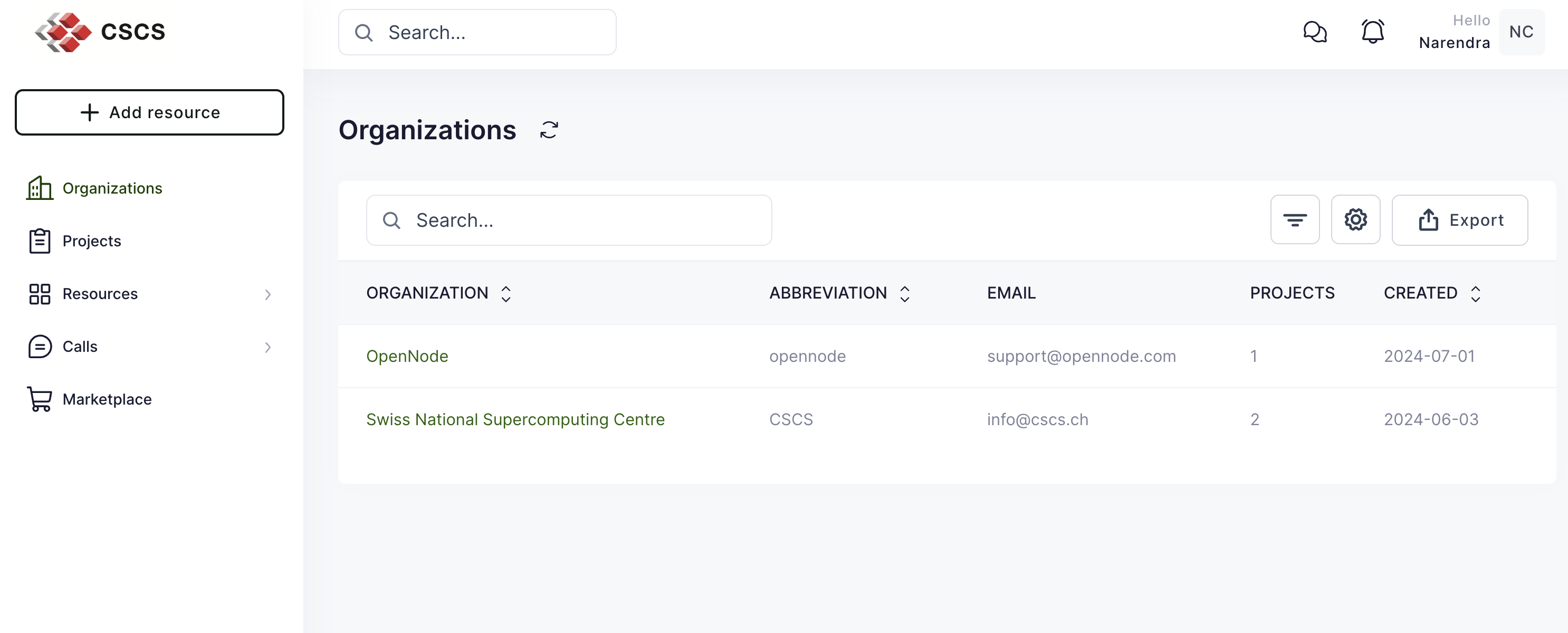
In this example, the project was hosted by the CSCS organization and the project name is csstaff_n. From the organization dashboard navigate to Projects and click on the csstaff_n project
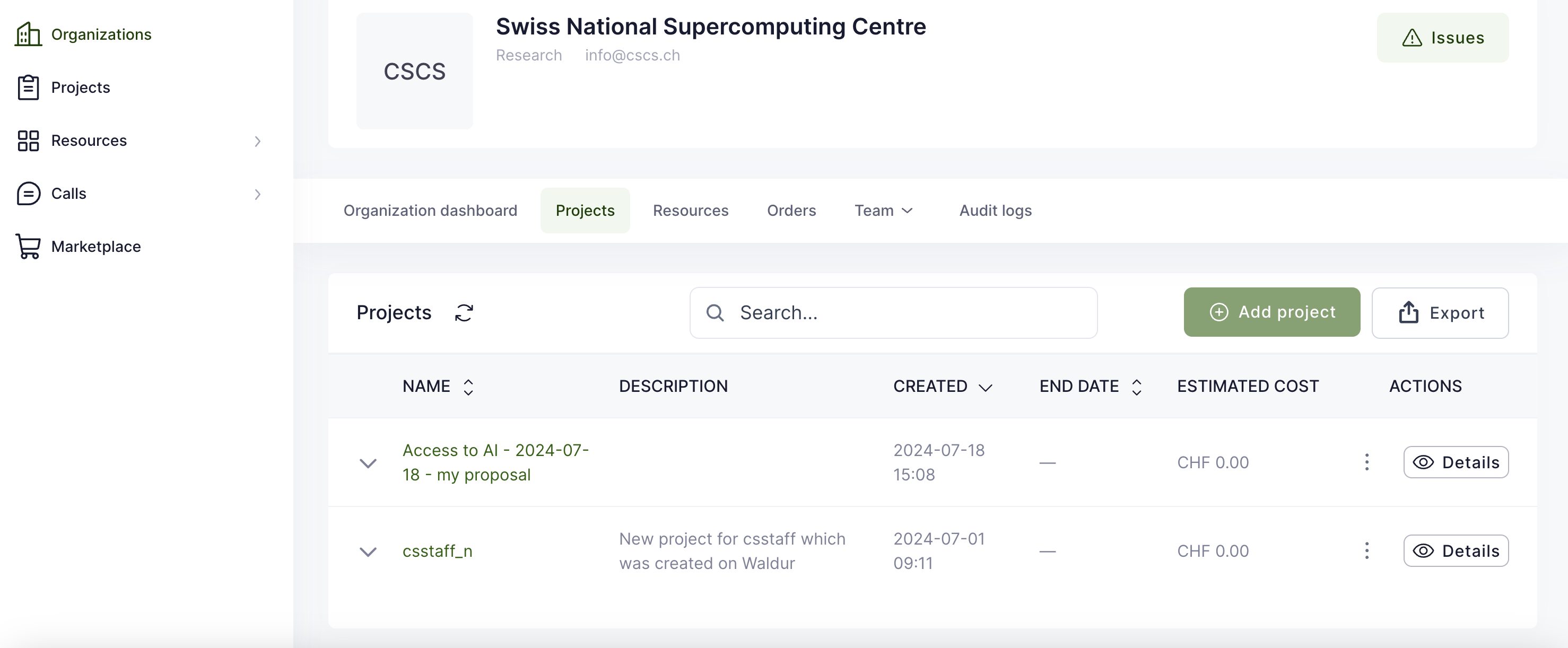
Invite users
From the project dashboard, navigate to Team -> Invitations

Info
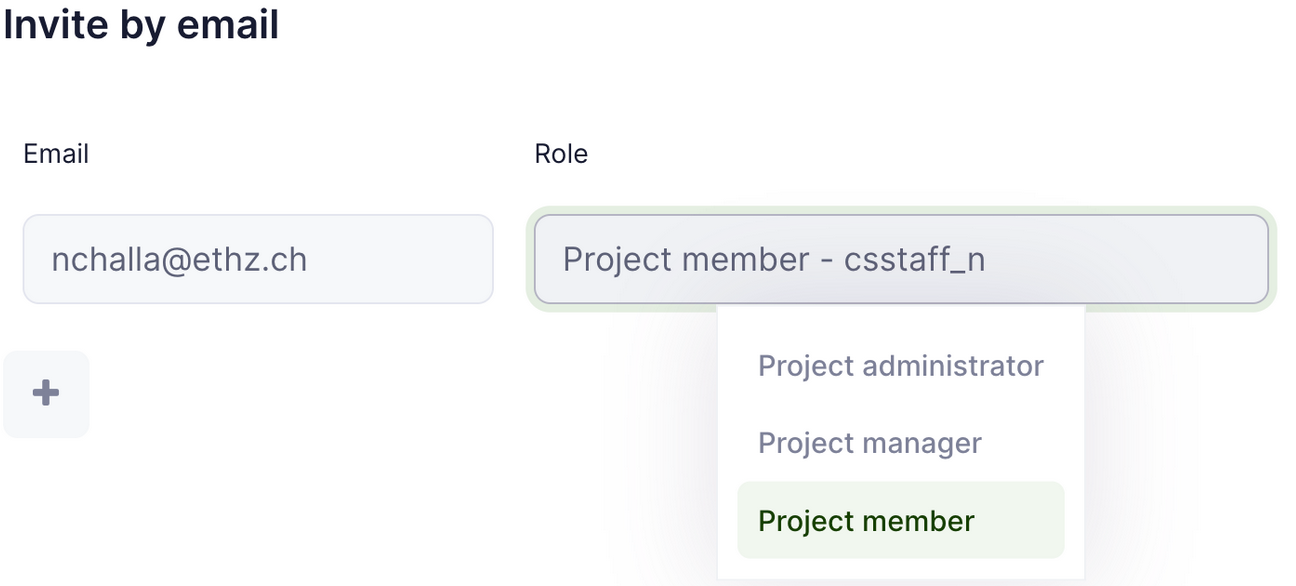
Using both the web interface and bulk invitation, the following roles can be assigned in the tool:
- Project administrator: PI
- Project manager: deputy PI
- Project member: team member
To invite an individual user, click on the green “Invite Users” button on the right hand side of the tab.
You will then be prompted to enter the invitee’s email address and assign them a role (PI, deputy PI or member)
Role definitions
The Waldur tool uses the following labels for the roles:
- Project administrator: PI
- Project manager: deputy PI
- Project member: member
It is also possible to bulk invite users by preparing a CSV file and uploading it in this step.
Note
An email will be sent to invited users:
- users who already have CSCS accounts should click on the link in the email they received, and authenticate against CSCS KeyCloak with username, password, and OTP to accept the invitation.
- new users should follow the procedure to create a CSCS account.