Changing account data
You can update some of your account data yourself in the user portal at user-account.cscs.ch, under Account. Depending on the data, a change is either applied immediately or reviewed by CSCS before it is applied.
| Data | What happens |
|---|---|
| Email address | Reviewed by CSCS, then confirmed by you from the new address |
| Affiliation (organisation) | Reviewed by CSCS |
| Primary project (default Unix group) | Applied immediately |
Your primary project can be any open project you are a member of. It is the default Unix group of your account on CSCS systems, for example for files you create.
To change any other account data, contact CSCS via the Service Desk.
Note
Only personal user accounts can change their data here. Service accounts are managed by their project, see requesting a service account.
Requesting a change
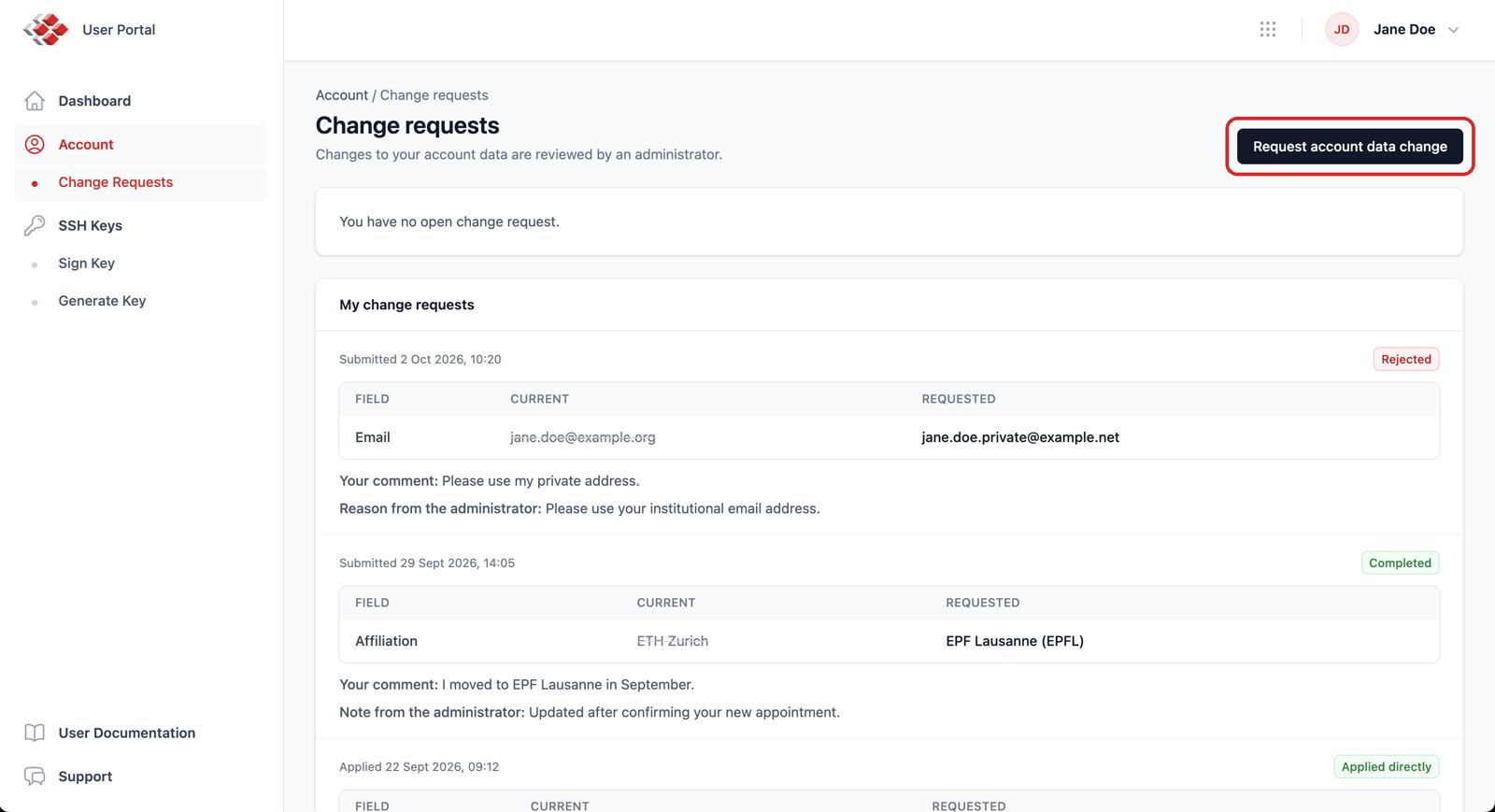
On the Account page, or on the Change Requests page, click Request account data change at the top right.
The form shows your current data: change what you need and, if useful, add a comment for the reviewer. Each field says how its change is handled.
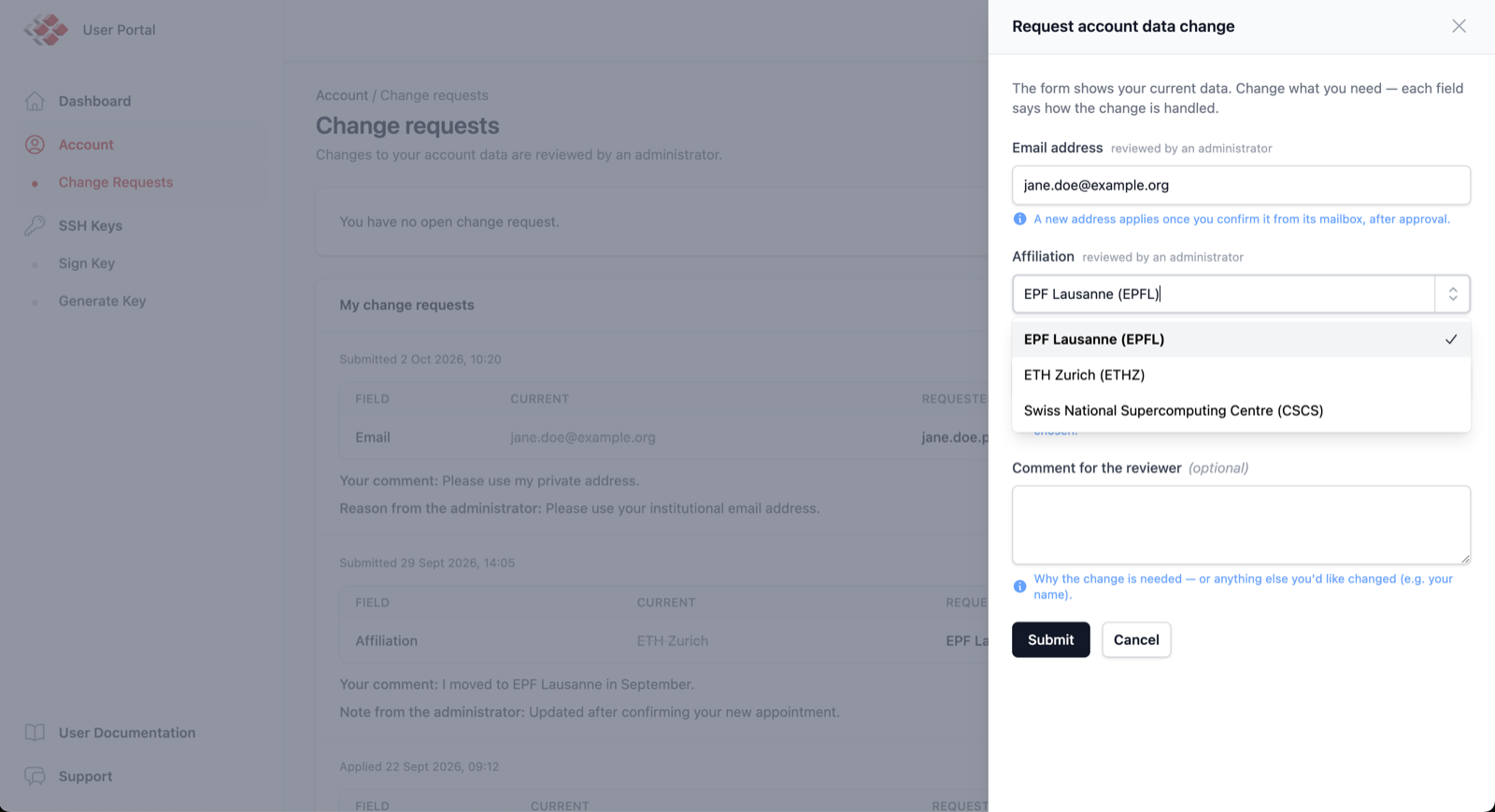
- A new primary project is saved as soon as you submit the form.
- A new email address or affiliation is sent to CSCS for review.
- You can change both kinds of data in a single submission: the primary project is applied, the rest is reviewed.
You receive an email when your request is approved or rejected, and a notice whenever a change is applied to your account.
Changing your email address
The new address must be an institutional email address, as for signing up: personal addresses (Gmail, Hotmail, etc.) are not accepted. After CSCS approves a new email address, a confirmation link is sent to the new address, not to your current one. Your email address only changes once you open that link and confirm. The link is valid for 7 days: if it expires, submit a new request.
One open request at a time
You can have one open request at a time. While it is waiting for review, you can still edit it or withdraw it.
Following your requests
To see your requests, open Change Requests under Account in the menu, or follow My change requests on the Account page. The page shows your open request, which you can change (Edit request) or withdraw (Withdraw request) while it is pending, and all your past requests and changes. Each entry shows what was changed, your comment, and the reason or note from CSCS when a request was rejected or approved, as in the screenshot above.
| Status | Meaning |
|---|---|
| Pending review | Waiting for CSCS to review it |
| Awaiting email confirmation | Approved; open the confirmation link sent to your new email address |
| Completed | Approved and applied |
| Applied directly | Applied immediately, no review needed (primary project) |
| Rejected | Not applied; the reason from CSCS is shown with the request |
| Cancelled | Withdrawn by you |
| Expired | The email confirmation link was not used within 7 days |